In this tutorial, I will show you how to send larger files to others using dropbox.
Email services do not let you send files larger than 25MB or so, and it becomes frustrating when you have to send large files to someone who is far away from you. So just follow these simple step to know how to send larger files to others using dropbox.
STEP 1
CLICK HERE to sign up for free and download the Dropbox app.
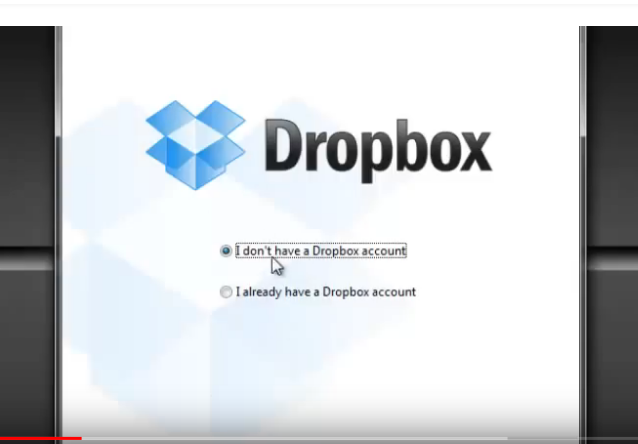
When you are done, install it. During the installation, you will be asked to sign in or create an account. If you don’t have an account you create one. Make sure you are connected to the internet. Just click “Next” until you finish the installation.
STEP 2
When you are done, the Dropbox folder will appear on your computer.
Watch screenshot below.
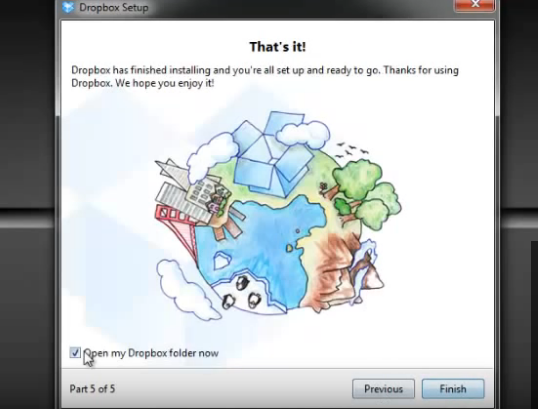
To upload files, click on the Dropbox folder and then you copy and paste the files you want to send. Dropbox will automatically upload the files into your online account.
Or you can decide to upload the files using the web interface by clicking on the upload button.
When done, the file will appear inside your account. Right click on the file and then select “Share link”.A window will pop up, you then click on “Get Link” The link will be copied.
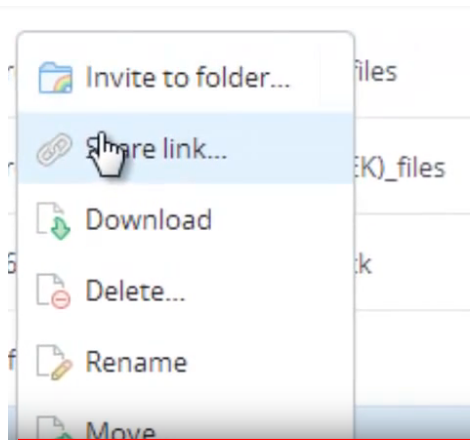
You can then send the link to anyone. When the link is clicked, they will be able to get access to the file and by clicking on the particular file, it gets downloaded.
This article is about how to send larger files to others using dropbox

Have you looked at Binfer? It is a great replacement for FTP. Binfer is the best way to send large files to someone privately. Do check it out when you get a chance: http://www.binfer.com
Alright, Thanks! I will check that out.
Hey Nana! Any way you could check out and maybe review http://www.getalink.com? It is a simple website that allows you to send up to 4GB files for free. No login or registration required! It is also SUPER fast at uploading, and the links automatically expire in 3 days so you don’t have to worry about business information being online forever. I’d appreciate any mention or review of the site you could give me! Contact me directly at justin at getalink.com if you have any questions. Thanks!!
Thanks Justin, for the info. I will surely check on that!!!